Let's TalkContact me!
Work About Lab Resume Let's Talk
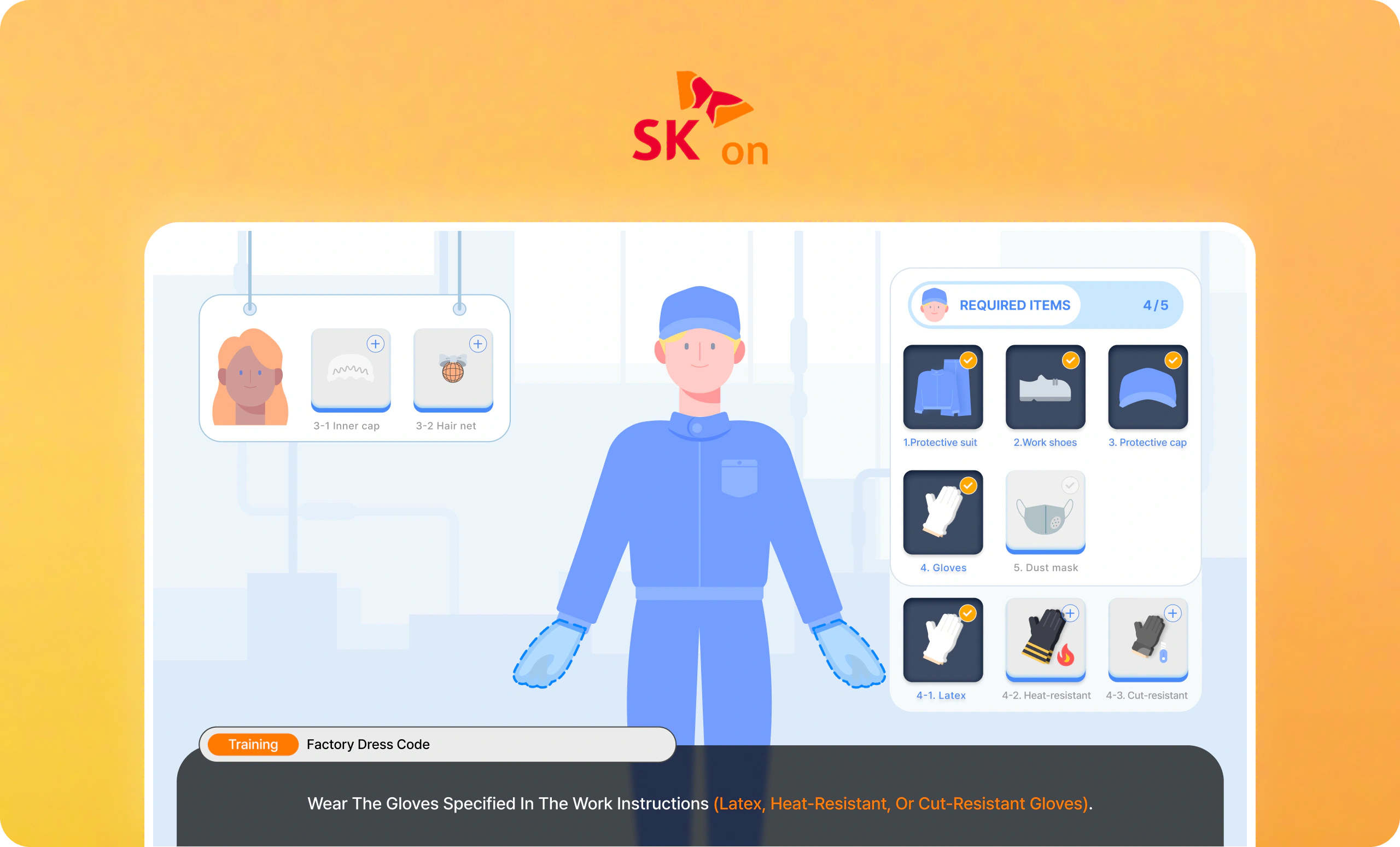
SK On training simulator cover — a character-led factory dress-code lesson with a required-items panel
Enterprise Staff Training HMI

Reframing an Industrial Training Platform
for Easier and More Engaging Learning

Redesigned HMI training for workers with limited digital experience, doubling satisfaction and reducing negative VOC by 1.5×.

MY ROLE

Product Design
Design System
Prototyping

TIMELINE

May 2023 - Nov 2023

TEAM

3 UI/UX Designers (Me)
1 Project Leader
4 Planners
3 Unity Engineers
3 3D Designers

TOOLS

Figma
Photoshop
Illustrator
Unity

CONTEXT ABOUT SK ON

Scaling battery production to power the global EV transition

SK On is a global EV battery manufacturer within SK Group, one of South Korea’s largest conglomerates. The company is expanding its production network across North America, Europe, and Asia.

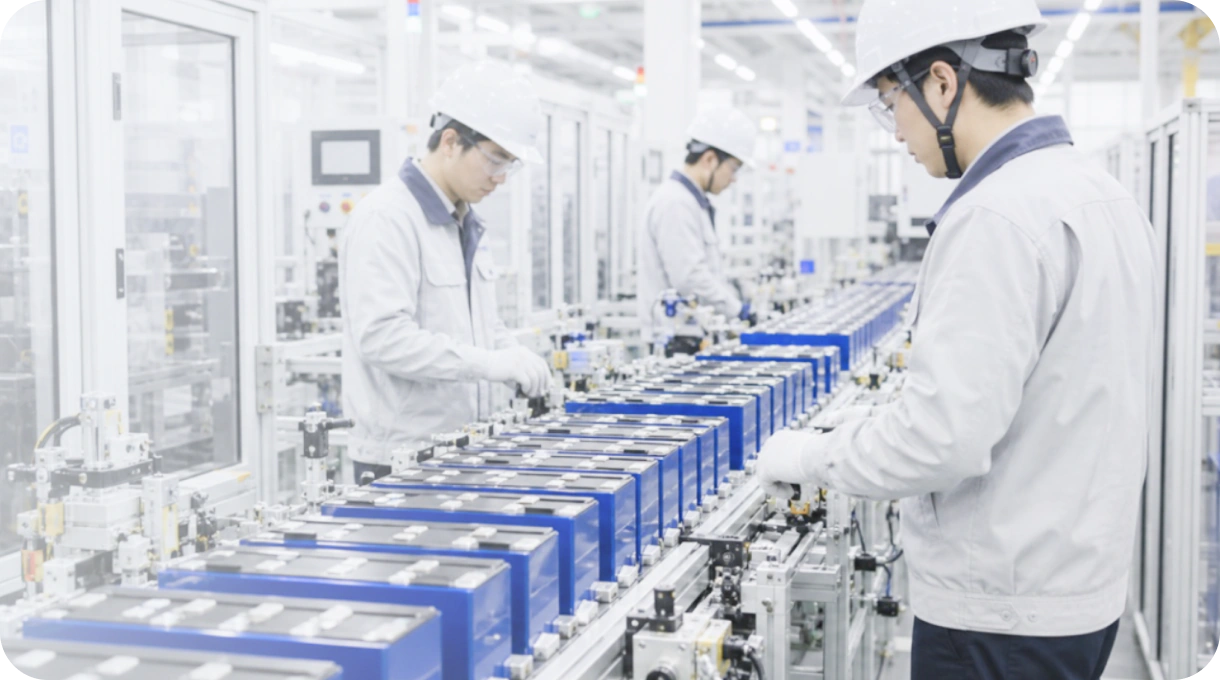
SK On workers inspecting EV battery cells on a production line
SERVICE INTRODUCTION

SK On’s required e-learning prepared global production staff for on-site work

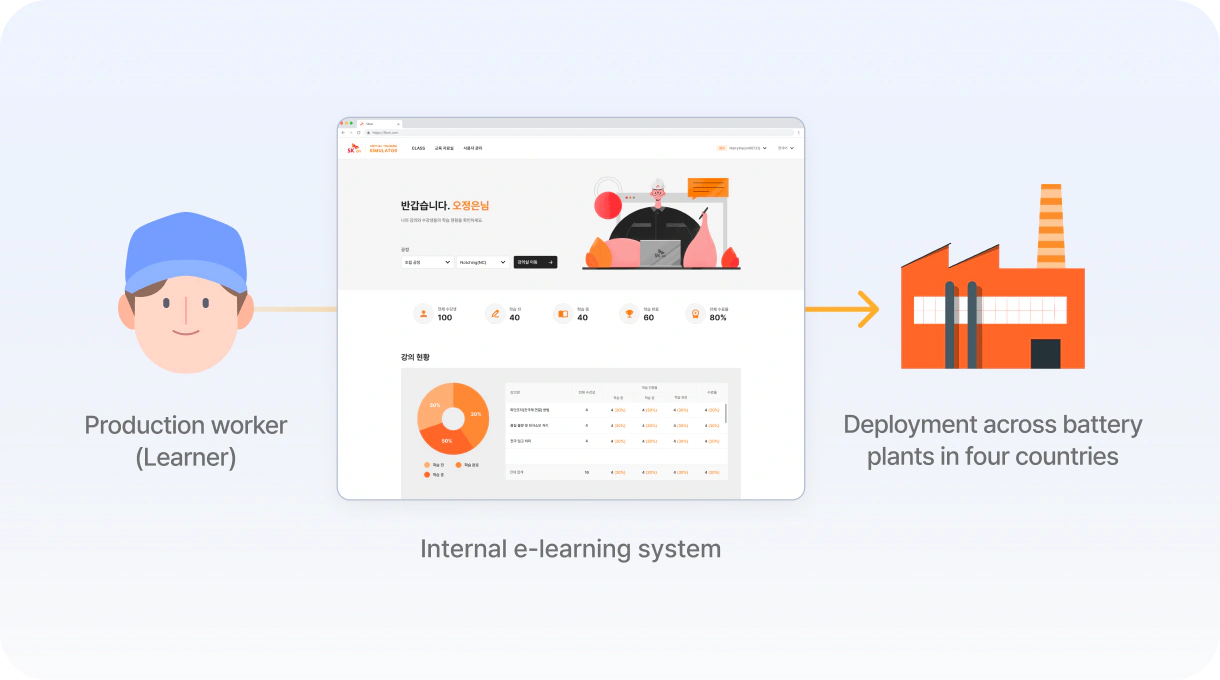
To qualify for on-site work, production workers must complete required training through the Virtual Training Simulator, SK On’s internal learning platform. Through simulation-based lessons and quizzes, they learn HMI operation, workplace regulations, and key production procedures.

Diagram: production worker (learner) → internal e-learning system → deployment across battery plants in four countries
PROJECT BACKGROUND

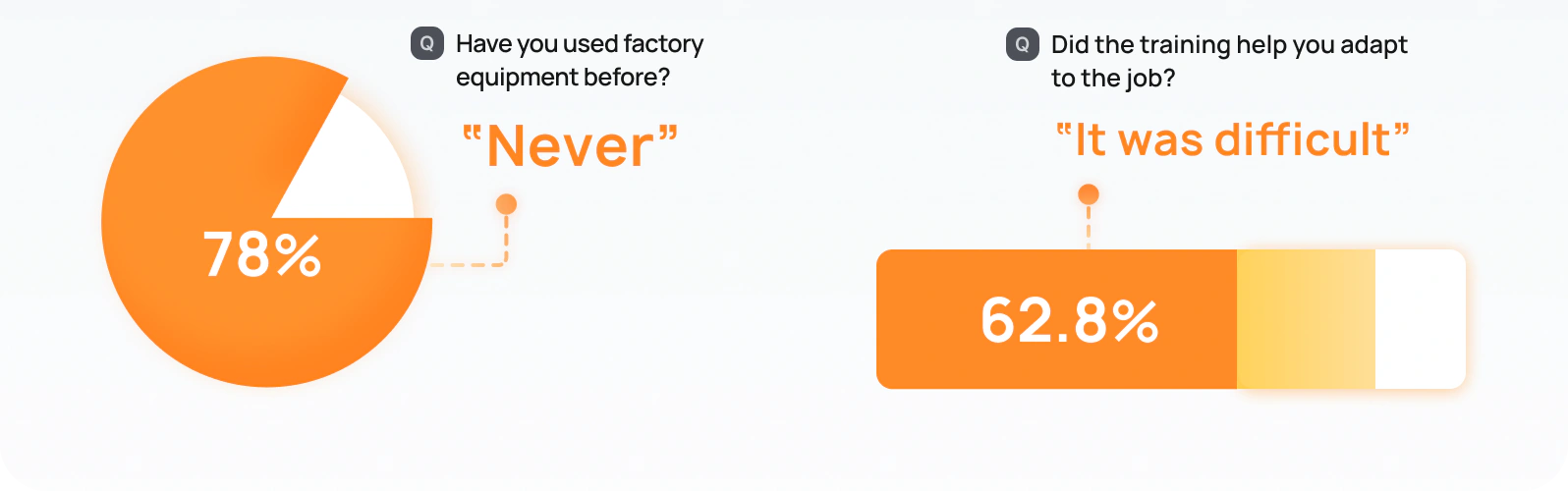
78% had never operated factory equipment, and 62.5% struggled to apply online training on the job

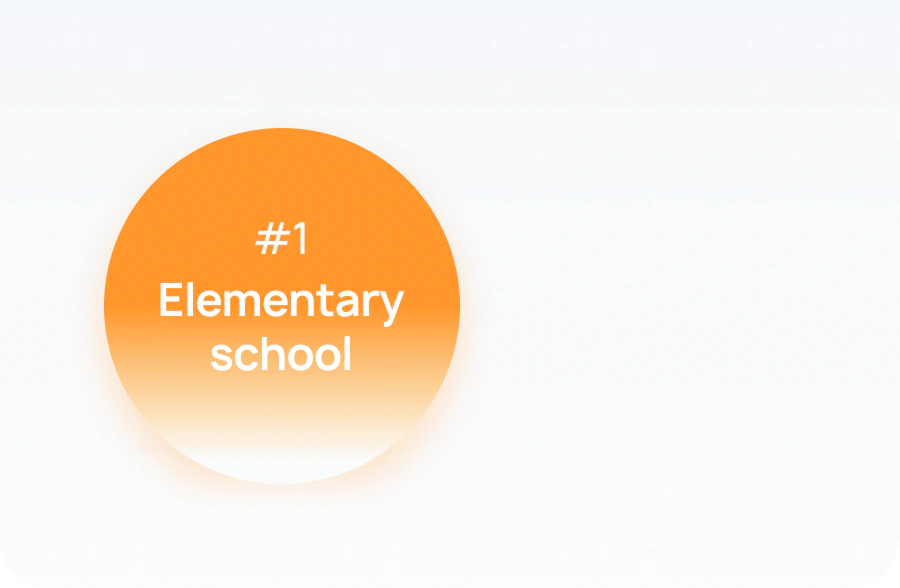
Elementary school was the most common highest level of education among learners, and many had worked in agriculture before encountering factory equipment for the first time. The existing platform did not account for these backgrounds, making the training difficult to understand and apply on the job. A redesign was needed to make the content more accessible and engaging for learners with little equipment experience.

Workers with less formal education struggled with text-heavy instructions

#1 Elementary school — the most common highest level of education

Limited experience with factory equipment made
both online and hands-on training difficult

Survey: 78% answered “Never” to having used factory equipment; 62.8% said adapting to the job after training “was difficult”
THE CHALLENGE
LEARNER CHALLENGE

Learners had to decode the interface before they could focus on learning

Blurred confidential screens from other training modules
01

Text-heavy and inconsistent screens made training difficult to follow
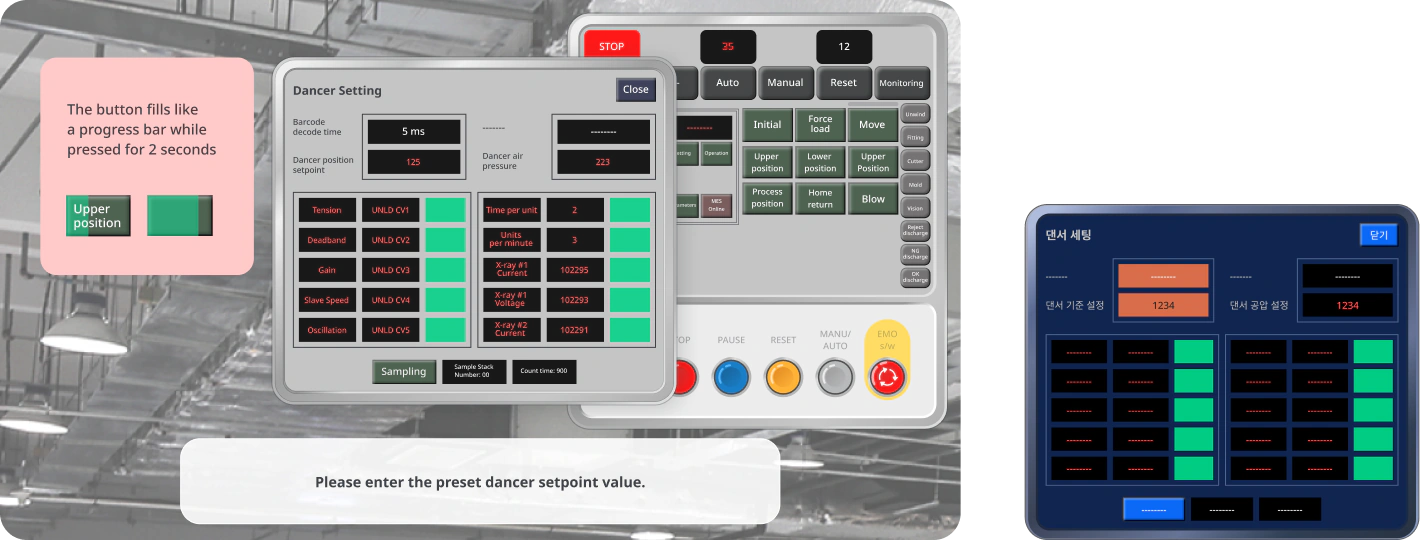
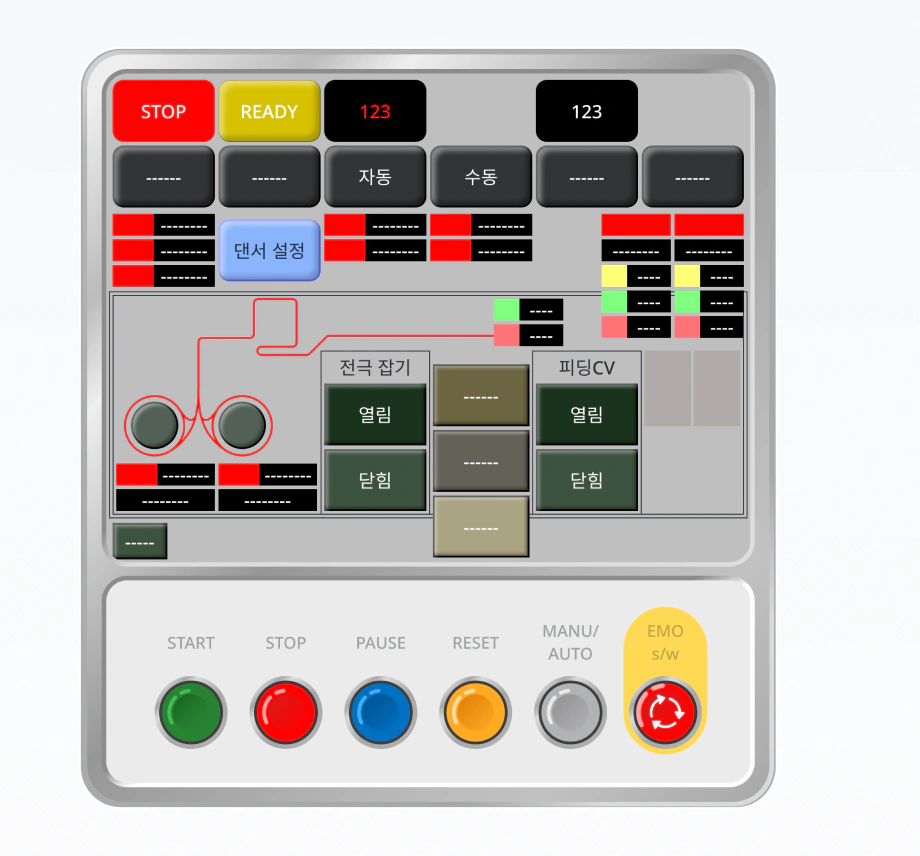
Original training screens: a dense dancer-setting HMI panel and a dark machine interface

The training relied heavily on text and reproduced different machine layouts across modules. Learners had to process dense instructions while adapting to a new screen structure in each module, making it harder to find key information and focus on the training.
02

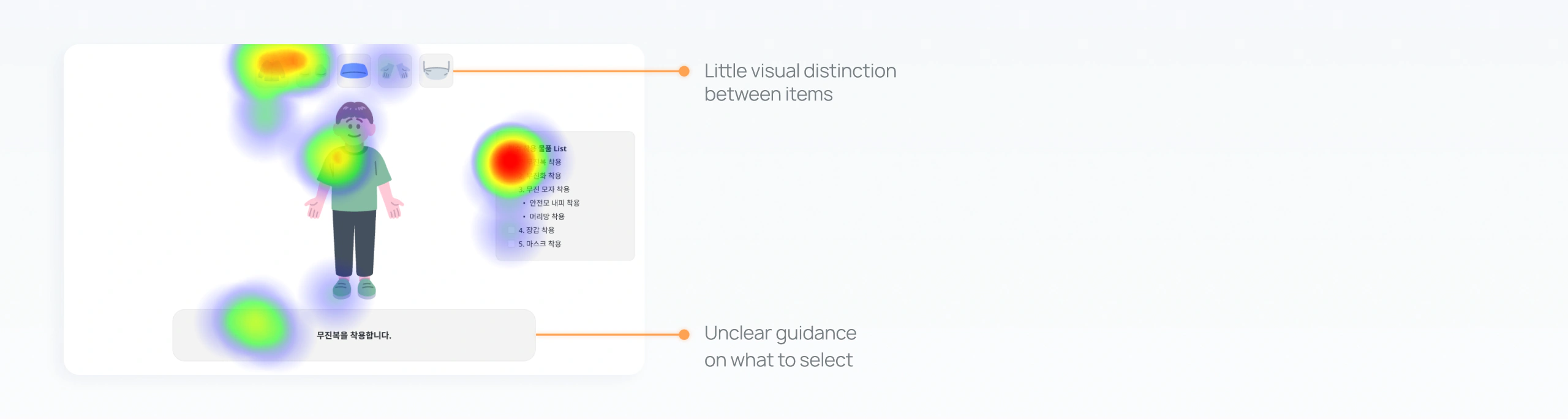
Weak visual hierarchy and unclear action cues led to a 72% misclick rate

Click heatmap on the original dress-up screen, annotated: little visual distinction between items; unclear guidance on what to select

Items looked too similar, while the character and instructions provided little guidance on what to select next.
As a result, learners often chose the wrong item and struggled to move to the next step.

PM CHALLENGE

Text-heavy screens were difficult to manage across languages

English

Check each layer's position and direction before adding the next. If anything is wrong, stop and tell your supervisor.

Hungarian

A következő réteg felhelyezése előtt ellenőrizze, hogy az aktuális réteg tájolása és elhelyezkedése megfelel-e az előírásnak. Ha eltérést észlel, állítsa le a munkát, és értesítse a felelőst.

Explaining complex equipment required large amounts of text. As screens were translated across multiple languages, varying text lengths and numerous screens increased the team’s workload under limited time and resources.

INSIGHT

Learners needed less explanation, while the team needed less complexity

Learners struggled with text-heavy instructions and unclear action cues, while PMs had to manage numerous screens across processes and languages. The opportunity was to make learning more intuitive without making the system harder to scale.

Feedback from SK on PMs

  • “Some languages get longer in translation,
    so we need to rely less on text and more on visuals.”— Han, PM at SK On

  • “With fixed deadlines and resources, it is difficult
    to manage so many different machine screens.”— Han, PM at SK On

Feedback from Trainees

  • “It was confusing and difficult to find the right
    outfit based on the instructions” — Learner A

  • “I knew the equipment names, but couldn’t match
    them to the machines on-site.” — Learner B

  • “The screens were so complicated that
    I lost motivation to finish the tasks.” — Learner C

DESIGN GOAL

Guide learners clearly while making training easier to scale

Help learners understand what to do at each step without relying on dense instructions, while making training easier for the team to expand across processes and languages.

DESIGN STRATEGY

Turn instructions into character-led, game-like learning

Rather than reproducing each machine interface exactly, we focused each learning step on three questions: What am I learning? What should I do next? What information matters now?

01

Turn instructions into character-led, guided gameplay

Use character-led game and visual feedback to make each action easy to follow instead of relying on text-heavy screens.

02

Standardize the UI across processes

Create one consistent structure and reusable components that could adapt across different processes.

TRADE-OFF

We prioritized learning effectiveness and scalability over replicating each machine interface exactly

The first iteration added depth to the character, making it more noticeable but drawing attention away from the item cards learners needed to select. Based on internal team feedback, we flattened the character and gave the interactive cards stronger depth and contrast, directing attention to the next action.

01

The goal was to understand the workflow, not memorize the actual interface

At the time of the redesign, a repetition-based learning feature was added. Since learning the button names and the order of operations was more important, we used a consistent UI to reinforce these elements across learning steps.

02

Building confidence with difficult tasks can improve learning efficiency.

Although the machines had many buttons, trainees only needed to use a subset of them. By keeping the layout consistent and numbering the steps, we aimed to increase the sense of immersion and satisfaction that were part of the original learning goals.

03

A consistent framework was more practical given the development constraints

The training was being developed in Unity, where reusing Figma source files was difficult. With limited time and team capacity, a shared UI structure provided a practical way to support different machine interfaces without creating each screen from scratch.

FINAL DESIGN 1

Making equipment selection clear in a character-led experience

Although the game centered on a character, equipment selection needed to remain the visual priority. When internal feedback showed that the 3D character drew attention away from the equipment cards, I flattened the character and increased the cards’ depth and contrast to highlight the next item.

ORIGINAL

Items blend into the background

Original: a 3D character beside flat grey item cards

Equipment images blended into the card backgrounds.

FIRST  ITERATION

Character overshadows item cards

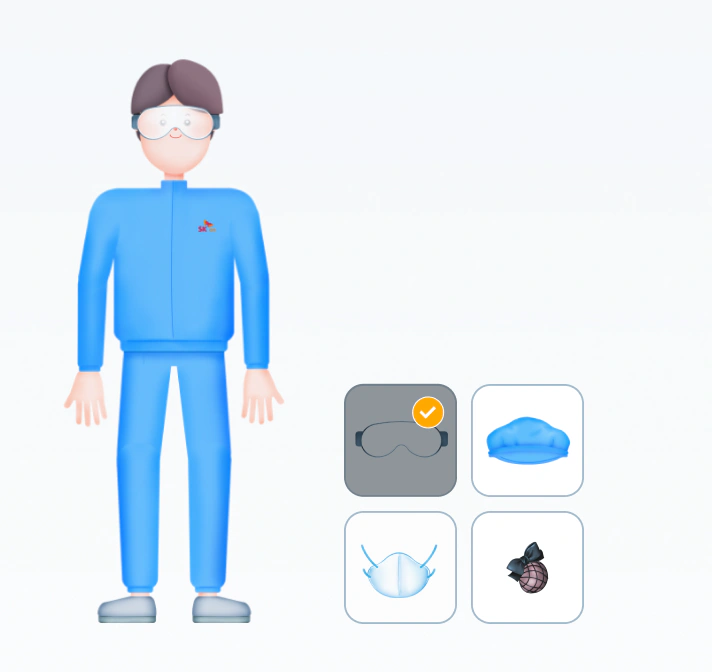
First iteration: a glossy 3D character draws attention away from the item cards

The character stood out, but the equipment cards did not.

SECOND  ITERATION

Raised item cards take priority

Second iteration: flat characters next to raised, high-contrast required-item cards

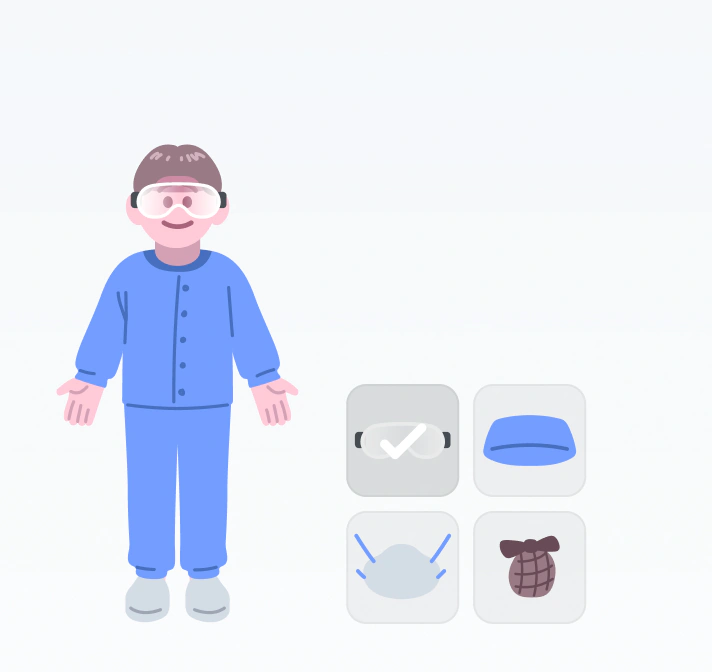
A simpler character and raised cards made the equipment more prominent.

Reducing reliance on text through a character-led interaction

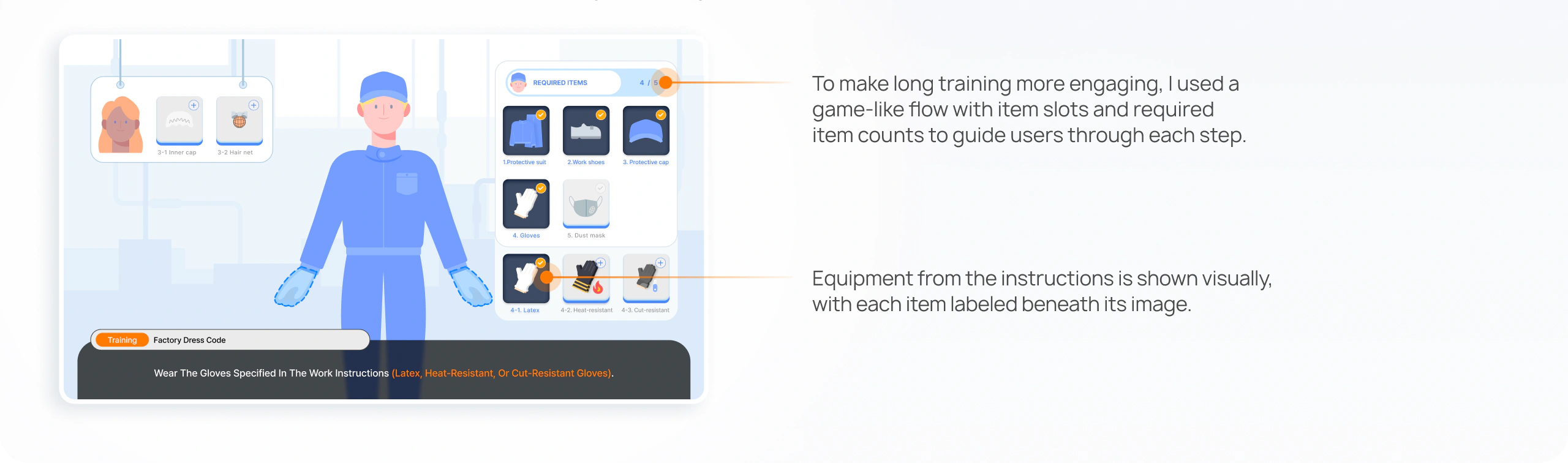
A character-led dress-up interaction guided learners through the correct order for putting on safety gear and equipment. Pairing each instruction with a matching image helped learners understand, remember, and carry out each step.

BEFORE

Turn instructions into character-led, guided gameplay

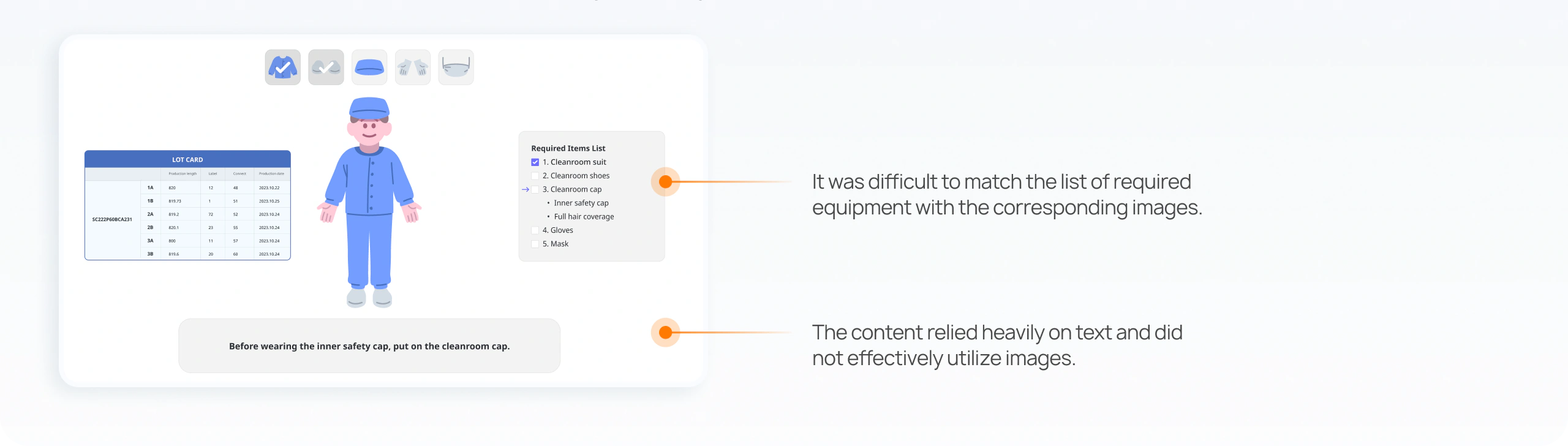
Before: a required-items text list and lot card beside the character. Notes: it was difficult to match the list of required equipment with the corresponding images; the content relied heavily on text and did not effectively utilize images.
AFTER

Turn instructions into character-led, guided gameplay

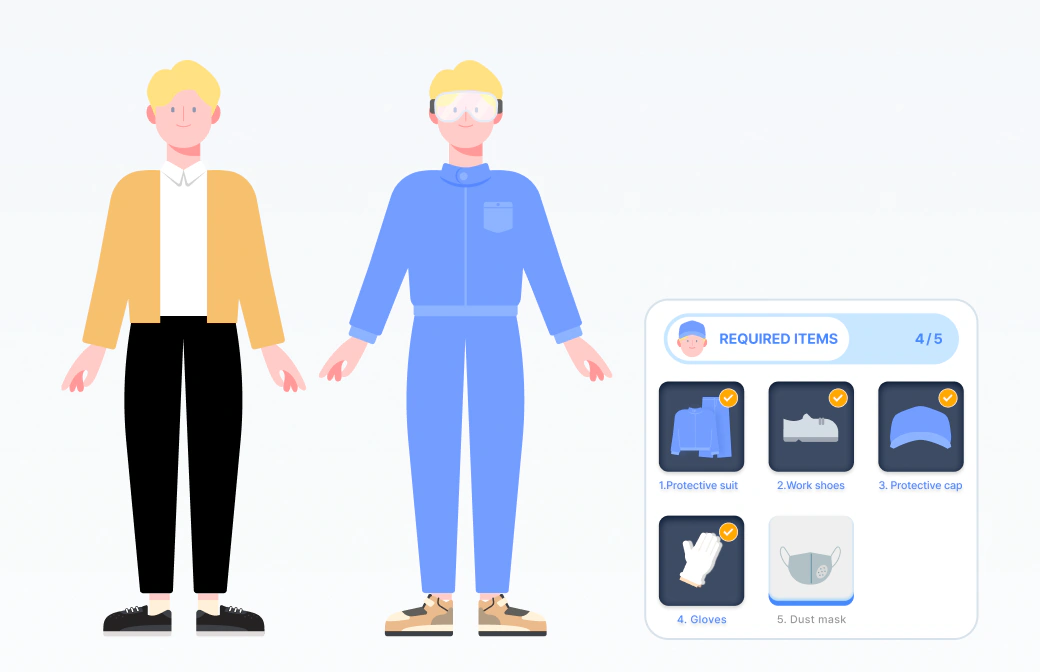
After: a game-like dress-up screen with item slots and a 4/5 required-items counter. Notes: to make long training more engaging, I used a game-like flow with item slots and required item counts to guide users through each step; equipment from the instructions is shown visually, with each item labeled beneath its image.
FINAL DESIGN 2

Balance game-like visuals with clear controls

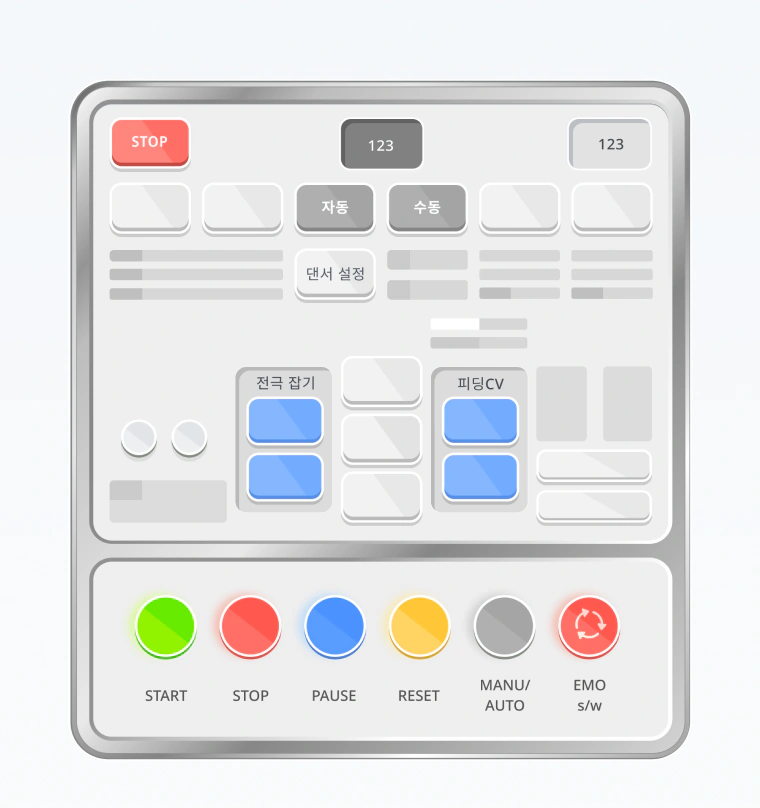
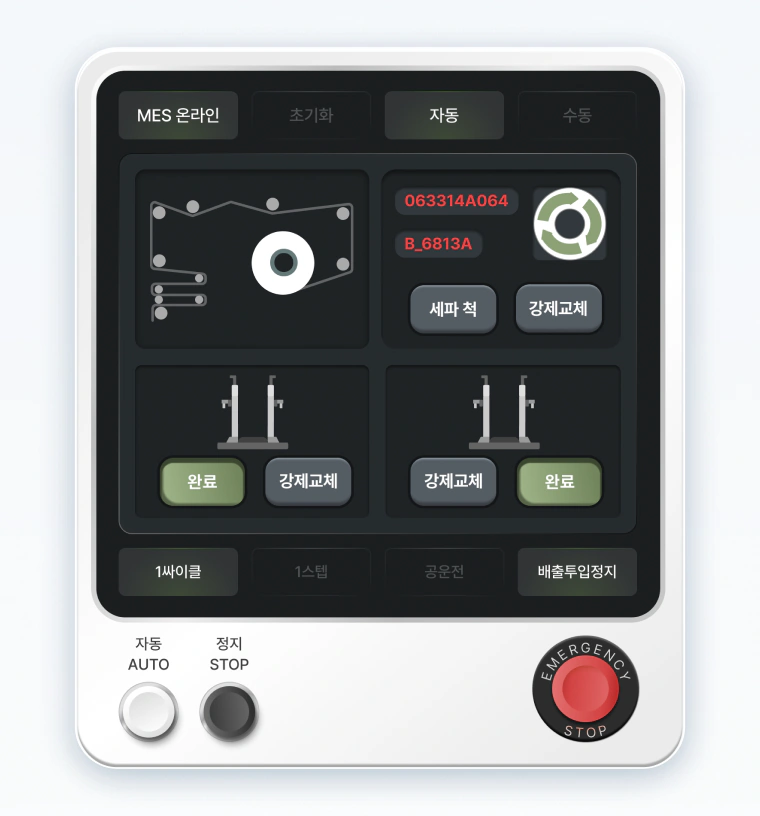
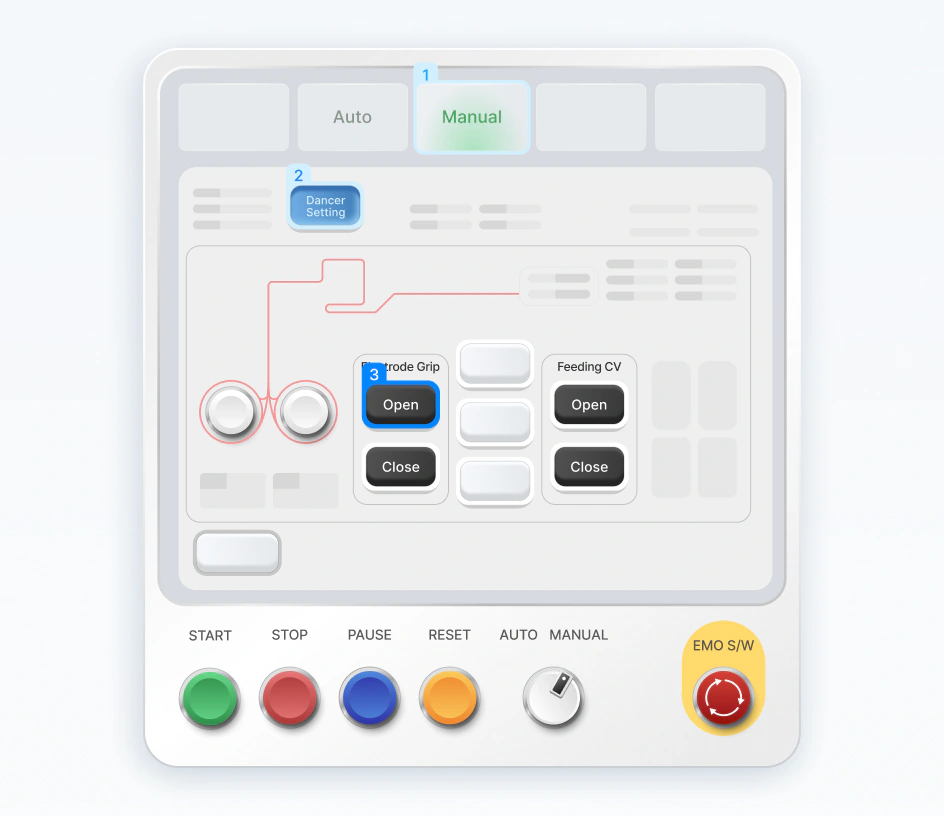
We explored visual changes to existing components without adding functionality, aiming to keep the game-like feel while making key controls easier to distinguish. The goal was to help learners focus on and retain what they’d need to use on-site.

OPTION  A

Playful, but visually busy

Option A: a bright, metallic HMI panel

The game-like feel remained, but bright colors and metallic effects competed for attention.

OPTION B

Restrained, but too heavy

Option B: a dark HMI panel with limited color

Limited color emphasized key controls, but the dark style felt heavy and monotonous.

SELECTED DIRECTION

Light, with selective emphasis

Selected direction: a light HMI panel where numbered steps and key controls are emphasized

A light base retained the game-like feel. Size, depth, and limited color emphasized key controls.

Using a consistent layout to highlight what matters at each step

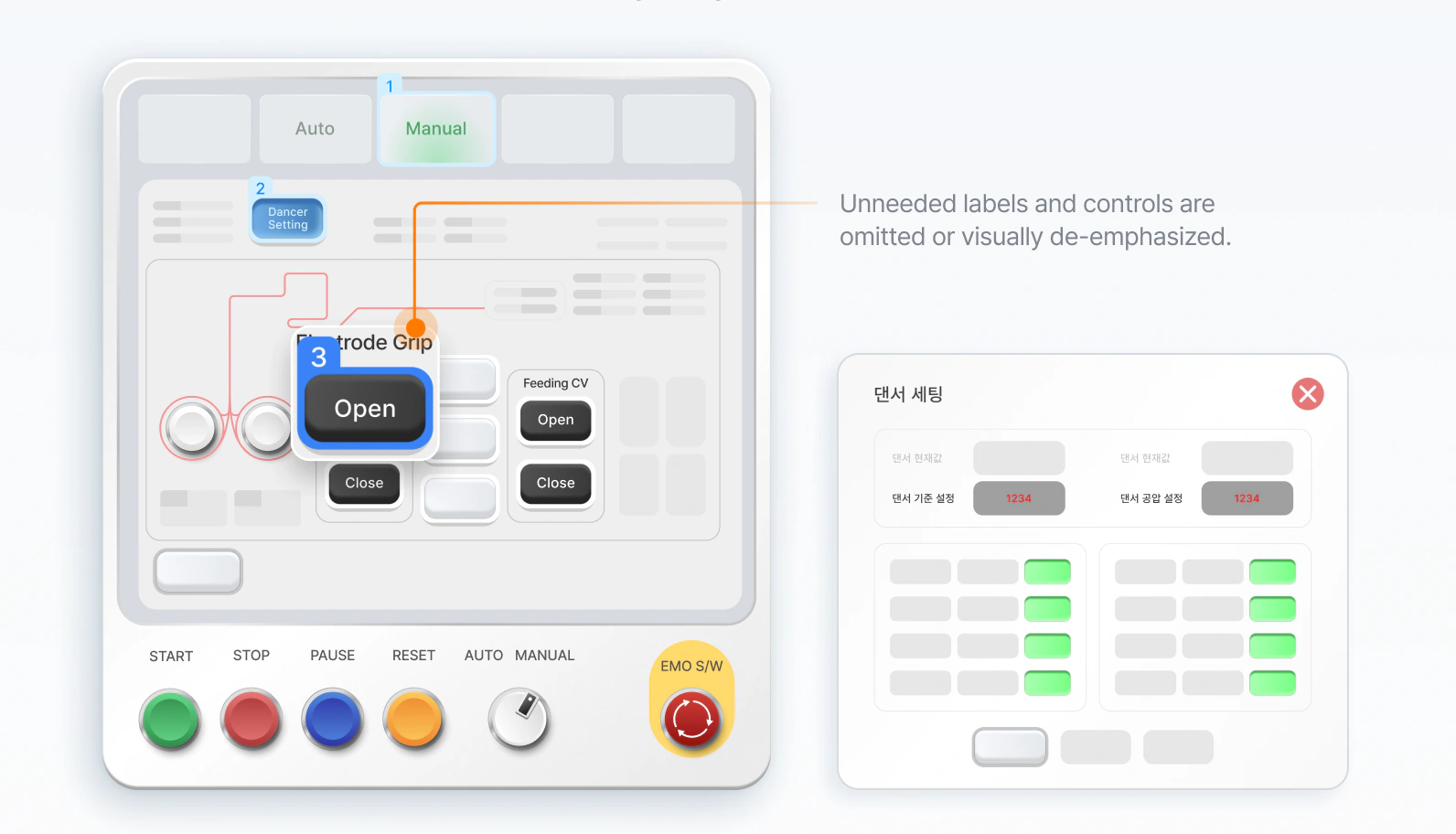
Each screen highlights the information and controls learners need for that step, while secondary details are de-emphasized or omitted. This consistency reduced confusion for learners and made it easier for the team to create and manage screens across different processes. We used text only where needed, avoiding lengthy copy across screens and making localization easier.

BEFORE

Replicating machine screens exactly confused learners

Before: an HMI screen replicated exactly, with inconsistent colors and dense labels

Inconsistent colors and visual hierarchy made screens across processes feel like separate services.

AFTER

Use color and labels to highlight key areas

After: the same HMI step with only the electrode-grip control highlighted and numbered; unneeded labels and controls are omitted or visually de-emphasized

Unneeded labels and controls are omitted or visually de-emphasized.

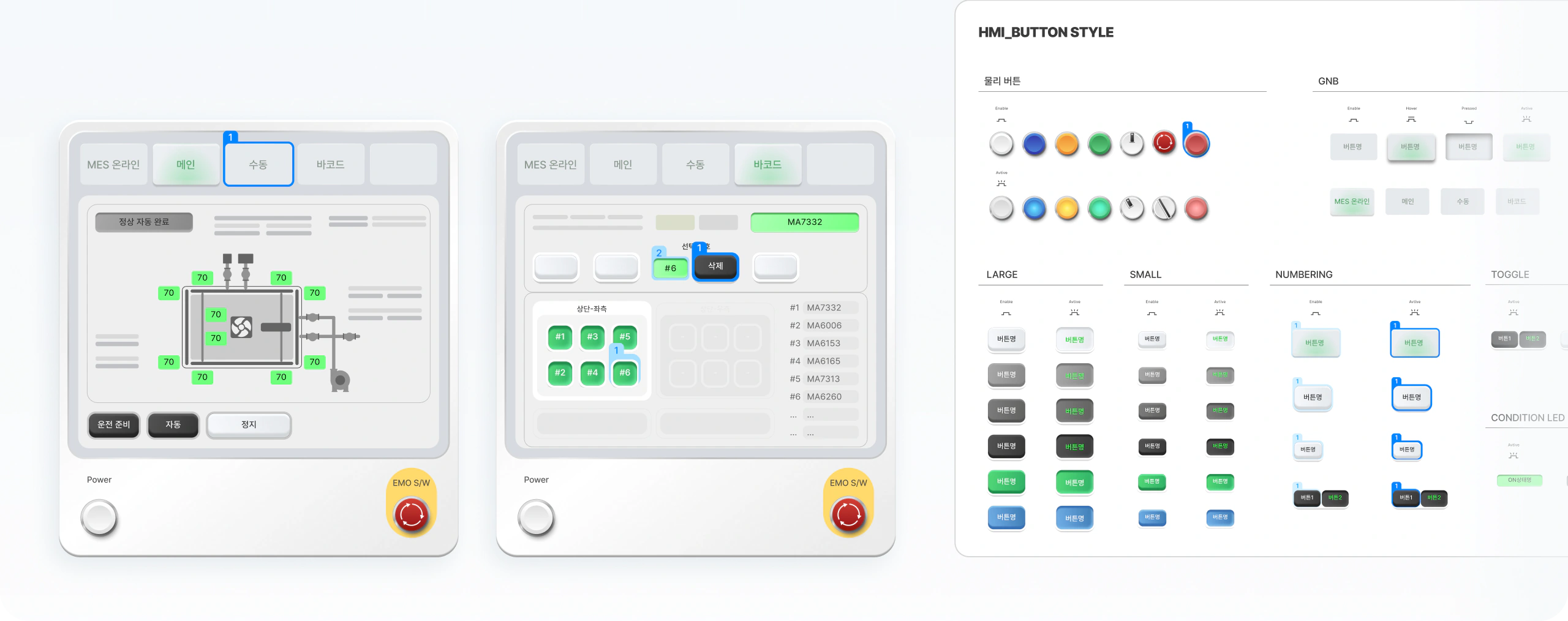
Reusable component set

Shared layouts keep the training consistent. Defined component sizes
and states let the team adapt screens without rebuilding the UI each time.

Reusable component set: two HMI layouts built from shared parts, and an HMI button style sheet with large, small, numbering, toggle and condition-LED states
RESULT

From Improved Learner Satisfaction to SK On’s Recognition and Contract Extension

01

Learner satisfaction increased by 2×, while negative VOC decreased by approximately 1.5×

“The machine screens are much easier to see at a glance.”
“I can find the buttons I need to click much faster.”

02

Positive feedback from SK on executives and a full-time conversion offer

“The redesigned screens received strong positive feedback during an executive meeting with SK On’s overseas offices.”

“You quickly understood our requirements, visualized them, and refined the designs, which helped the project move forward smoothly.”

03

Design system enabled faster, smoother collaboration across the team

“By building the illustrations into the design system, we were able to handle hundreds of screens quickly.”
— Unity Developer, Park OO

“Through weekly sprints, we were able to quickly combine the strengths of each other’s designs to create the final version.”
— Designer, Kim OO

“There were frequent delays due to project variables and unexpected issues, but the system we built allowed us to respond quickly.”
— Planner, Seo OO

LESSONS LEARNED 01

Reconstruct screens around learning goals, not the actual environment

Machine interfaces varied across the workplace, but replicating them exactly did not necessarily create a better learning experience. Instead, we reconstructed screens around what learners needed to learn and do at each step. Through this process, I learned the importance of reducing the complexity of the real environment while preserving the workflow to create an effective learning experience.

02

Build a scalable system to respond to change

As we developed hundreds of screens across different processes, I learned that building a structure that can adapt to changes and exceptions is more important than perfecting individual screens. By establishing shared layouts and reusable components, we were able to respond quickly to new requirements and project variables by leveraging the existing system.